Zentrix Calendar Heatmap
See a year of your data at a glance — and what it's telling you.
A GitHub-style full-year calendar heatmap for Power BI. Plot any daily measure across a 53-week grid, spot weekday rhythm and seasonal patterns instantly, and let the built-in insight engine surface streaks, anomalies, and year-over-year shifts — all computed entirely inside the Power BI sandbox.
Features
Built to surface
what matters
Full-year calendar grid
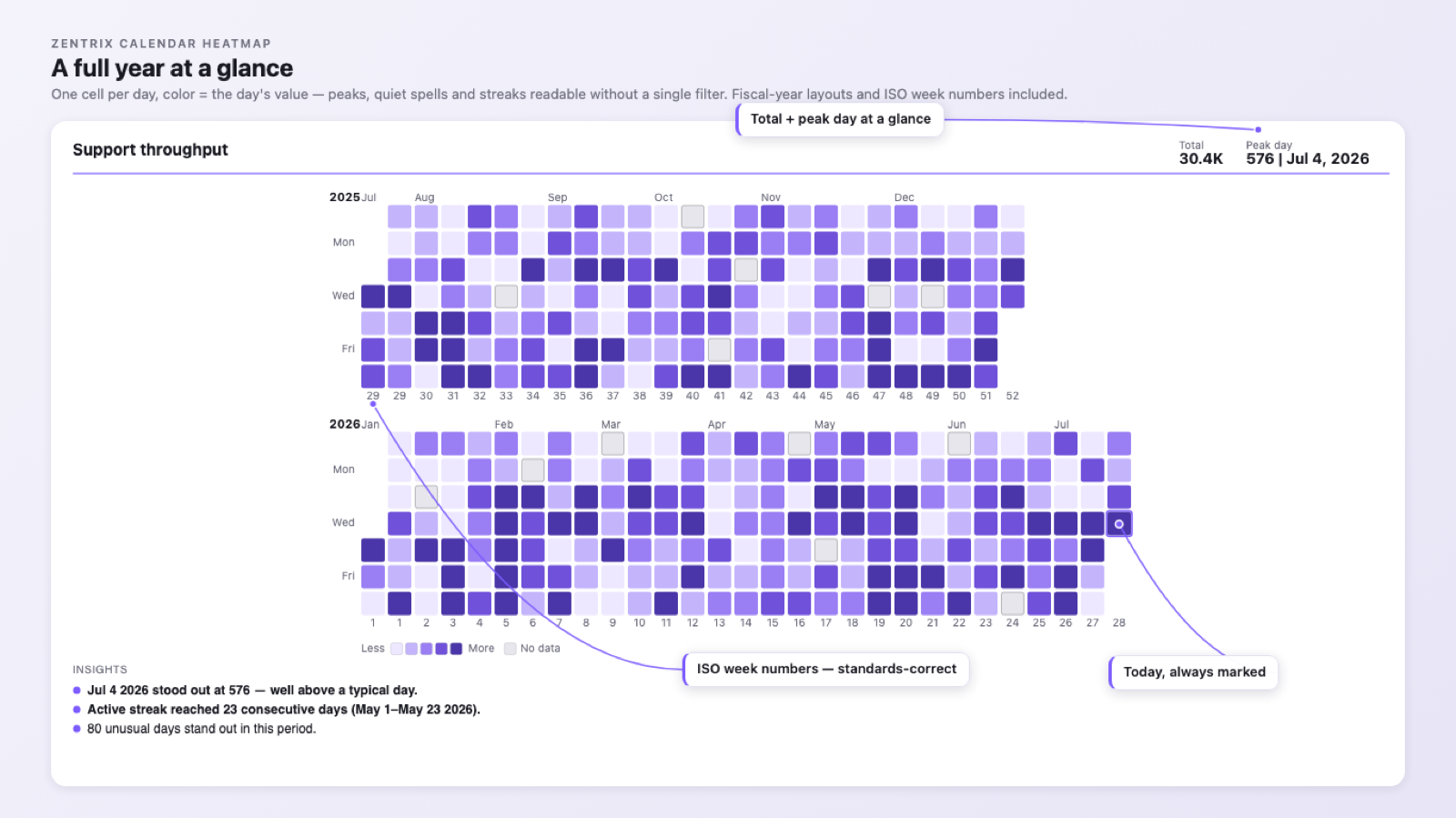
A familiar GitHub-style heatmap maps every day of the year onto a compact 53-week grid, so a year of activity reads in a single glance — no scrolling, no axis hunting.
Weekday & seasonal rhythm
Color encodes intensity by day. Weekday patterns, weekend dips, and seasonal swings jump out immediately — the kind of cadence a bar chart hides.
Streaks & momentum
The insight engine detects active streaks and the longest run in the period, so consistency and momentum are surfaced automatically, not eyeballed.
Conditional formatting & palettes
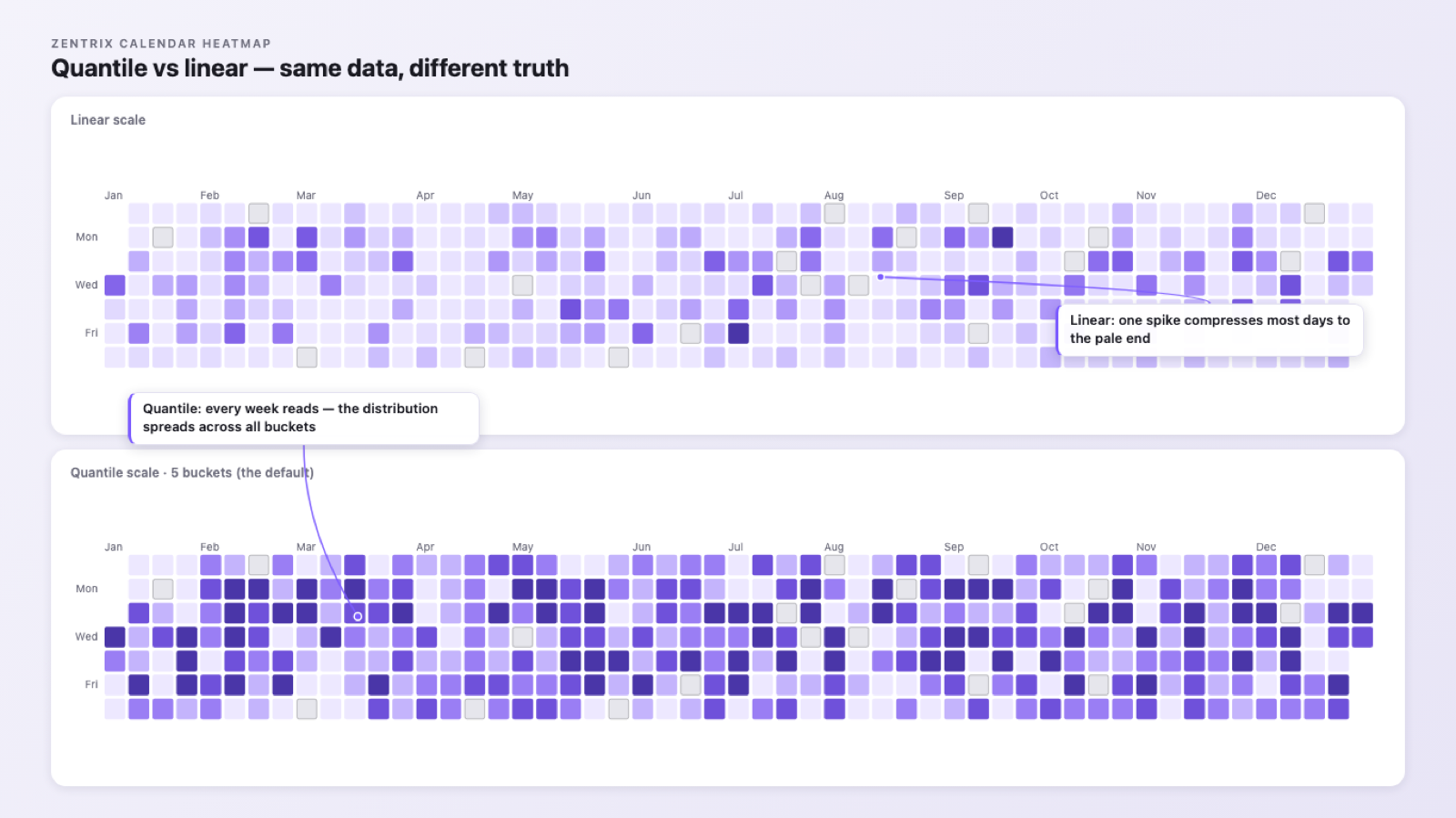
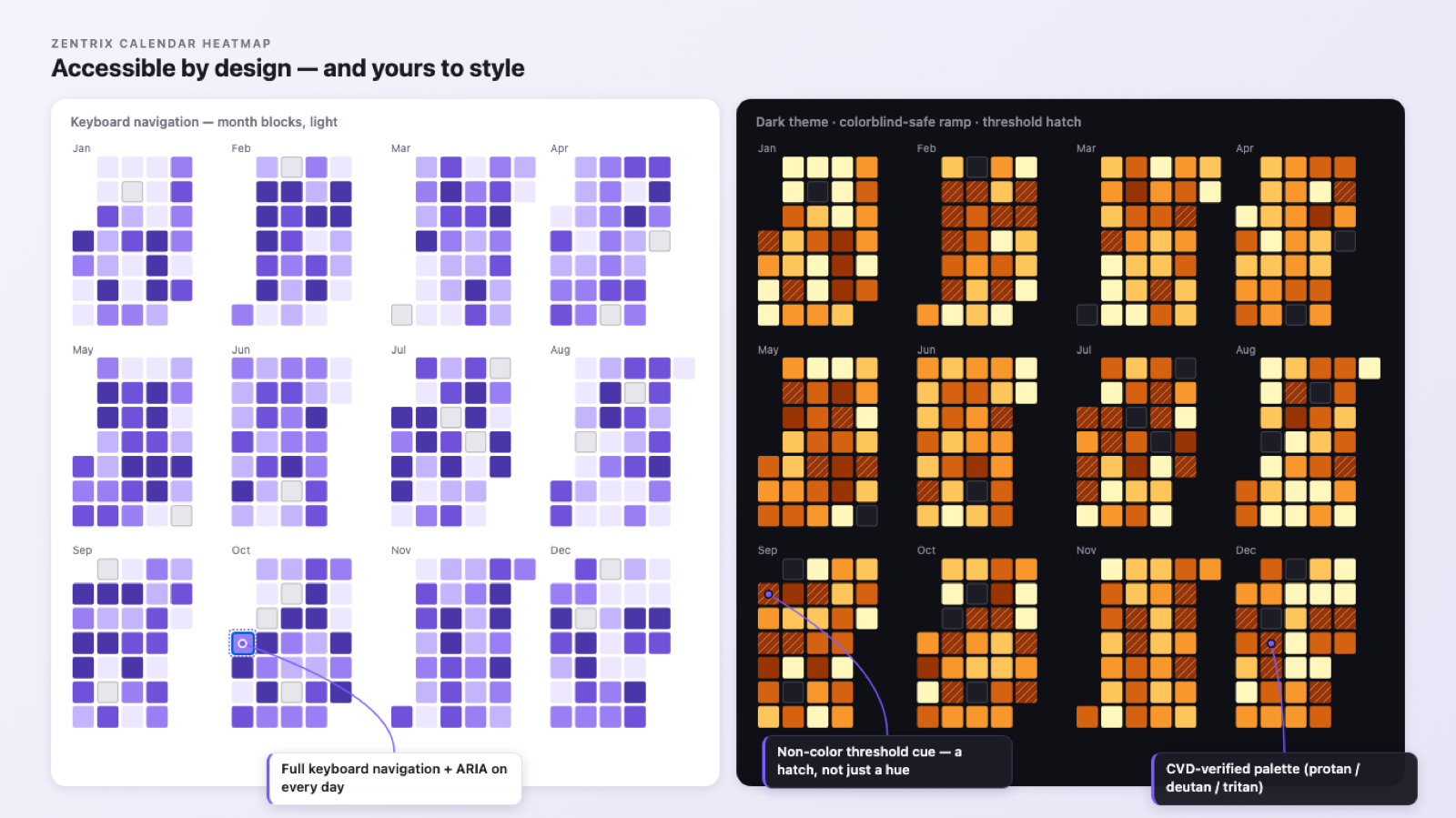
Choose from sequential and diverging palettes, set thresholds, and match your report theme. Accessible color steps keep the grid readable for everyone.
Screenshots
The real thing,
not a mock-up
Every image below is a capture of the shipping Calendar Heatmap. Where a shot needs a paid plan, its caption says so.
Learn it, then try it
Know every setting
before you open Power BI
The Insight Engine
Insights that never
leave your tenant
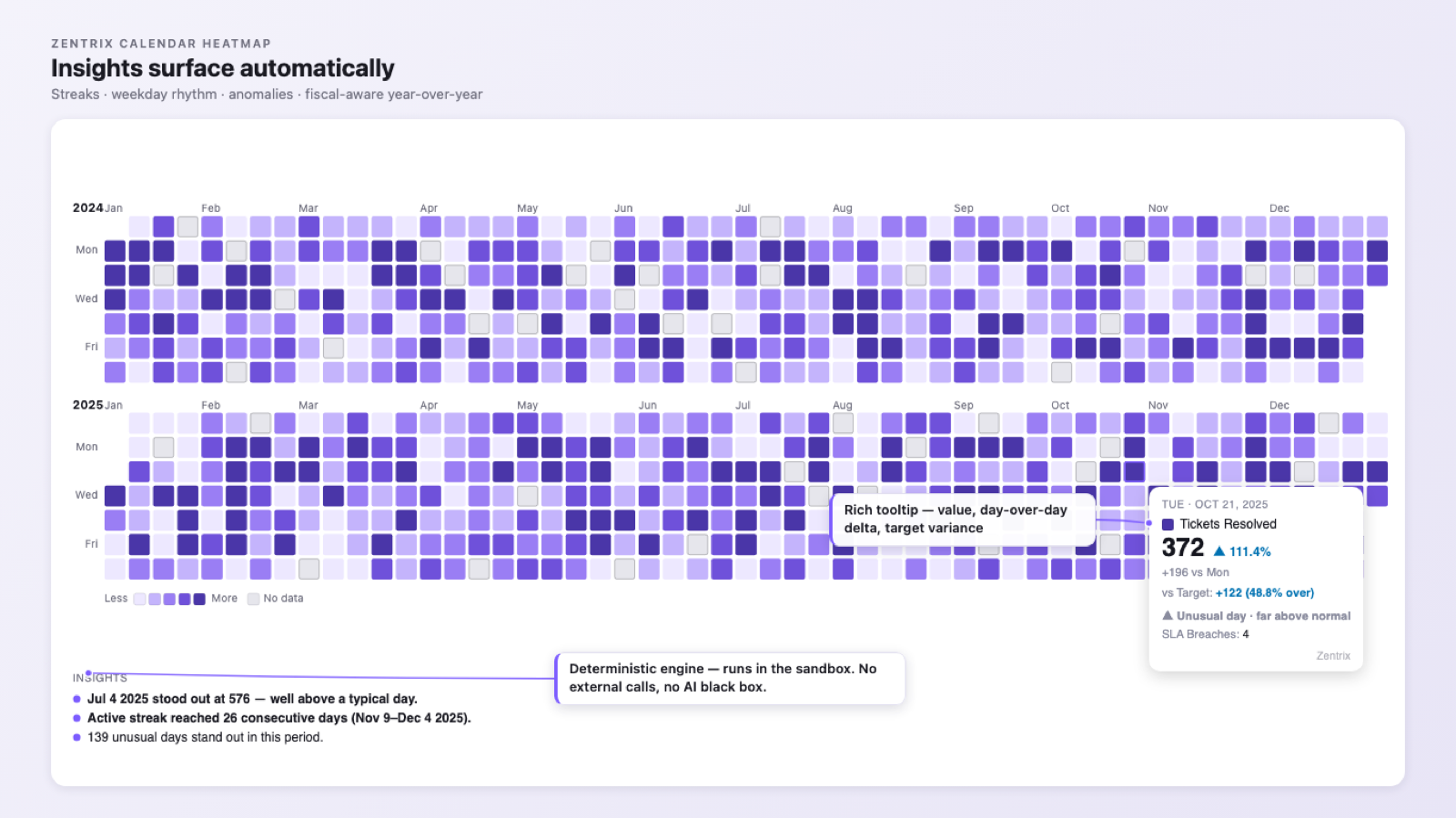
The Calendar Heatmap computes its insights with transparent, deterministic logic — entirely inside the Power BI sandbox. No external calls, no telemetry, nothing leaves your tenant.
- Active and longest streaks
- Weekday rhythm (which days run hot or cold)
- Anomalies — days that break the pattern
- Year-over-year shifts
Runs in the Power BI sandbox
Every insight is computed inside the Power BI visual sandbox. The visual makes no external network calls and sends no telemetry — nothing about your data leaves your tenant.
Deterministic insights
No AI guesswork. Streaks, weekday rhythm, anomalies, and year-over-year are computed with transparent, repeatable logic — the same data always yields the same result.
Insight engine, built in
The heatmap doesn't just plot — it reads the pattern for you, surfacing what changed and what's worth a second look, right on the canvas.
Free to use
Free, fast to install, and yours to keep
The core Calendar Heatmap is free — no trial, no watermark, no sign-in. Add it from AppSource, drop it on your canvas, and you're running. Full setup steps live in the docs.
Read the Calendar Heatmap field guideFree, and staying free. If the Calendar Heatmap earned its place on your report, you can support the work: